For restaurants, hotels, catering and bakeries

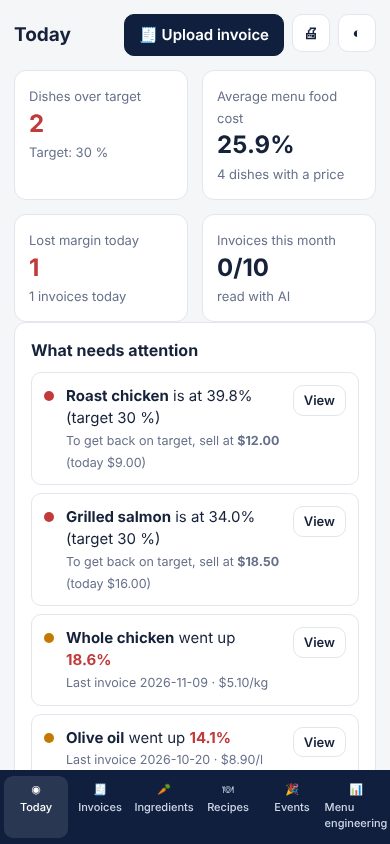
Photo of the invoice. See which dishes lost money today.

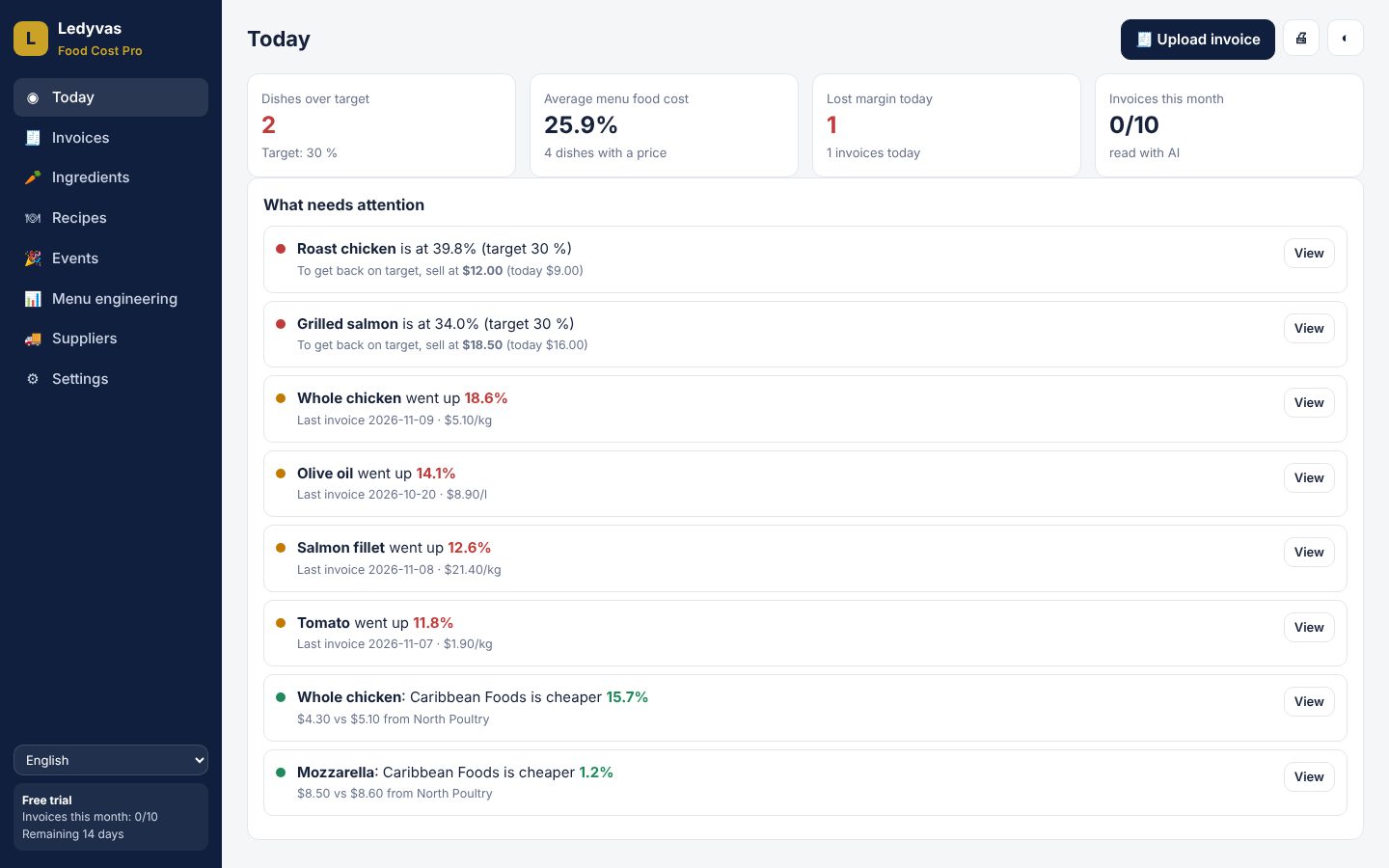
Food Cost Pro reads your supplier's invoice with AI, updates the cost of every ingredient and tells you which dishes went over your food cost target and what price to sell them at.

14 days free, no card · 6 languages · 155 currencies · phone and PC
Ledyvas Food Cost Pro screen

The supplier raises the price. You find out at the end of the month.

In a kitchen, margin is lost quietly, invoice by invoice.

📈

Prices that change every week

Meat, fish, oil: a small increase on the invoice eats the margin of several dishes without anyone noticing.

📄

Cost sheets nobody updates

Recipe costings are done once and go stale. Nobody copies every invoice by hand.

🎯

Menu prices by gut feeling

Without the real cost per dish, the selling price is decided by intuition.

How it works

Three steps, from your phone or PC.

1

Take a photo of the invoice

Photo or PDF, in any language and currency. The AI reads supplier, products, quantities and prices.

2

Review and confirm

Each product goes to its ingredient, with the purchase unit converted. Nothing changes without your approval.

3

See the impact on your dishes

The app shows which dishes lost margin and the selling price to get back on target.

Everything to control food cost

Nine features designed by kitchen people, in one app.

🧾

AI invoice reader

Recognises the product even when the supplier writes it differently, and converts cases, sacks and pounds to recipe units.

🚨

Margin alert and suggested price

Set your food cost target: the app tells you which dishes went over and gives you the rounded menu price.

⚖️

Price history and supplier comparison

See how much each ingredient rose in 1, 3 and 6 months and which supplier sells it cheapest.

🔪

Real yield and loss

Typical yields preloaded for fish, meat, vegetables and fruit. Cost uses the usable gram, not the purchase price.

📋

Recipes and recipe cards

Sub-recipes like sauces and doughs, portion scaling and a recipe card ready to print.

🎉

Events and catering

Menu, guests and margin: shopping list by supplier, cost and price per person, and a PDF quote.

📊

Menu engineering

Classifies the menu into stars, popular low-margin dishes, profitable slow sellers and dishes to remove.

🌍

Made for the whole world

6 languages, 155 currencies and multiple locations, each with its own supplier prices.

📤

Print and export

Every screen prints or saves to PDF, and all your data exports to Excel.

What it looks like inside

Real app screens with sample data.

Ledyvas Food Cost Pro screen
LC

Built by someone who knows the kitchen

Ledyvas was founded by Leonardo Cosci, with more than 40 years in hospitality and training at the École Hôtelière de Neuchâtel (Switzerland). Food Cost Pro comes from what happens every day in a kitchen: suppliers changing prices, waste, and menus that need adjusting in time.

Clear pricing

Start free. No card needed for the trial.

Recommended

Food Cost Pro

US$49 / month

or US$490 per year (2 months free)

  • 100 AI-read invoices per month
  • Recipes, sub-recipes, ingredients and suppliers
  • Margin alerts and suggested price
  • Events, catering and menu engineering
  • 1 location included
  • 14-day free trial
Try free for 14 days

Food Cost

US$3,99 / month

or US$39.90 per year

  • Costs a recipe with AI
  • Cost per portion and food cost %
  • For those who just want to cost a dish
Open Food Cost →

Prices in US dollars.

Also from Ledyvas Food

Two more independent apps for everyday use.

Ledyvas Nutrition Coach

Your personal nutrition coach.

  • Calories and macros via formula (Mifflin-St Jeor)
  • AI photo or text meal analysis
  • Gluten, lactose, nickel and glycemic index alerts
Open Nutrition Coach →

Ledyvas Smart List

Your shopping cart, organized before you leave home.

  • AI-organized list by aisle
  • Barcode scan with gluten/lactose/nickel/glycemic alert
  • Live budget with a spend-by-aisle chart
Open Smart List →

📲 Installable straight from the browser on your phone — no app store needed.

Frequently asked questions

Do I need a card to try it?

No. The 14-day trial starts with one click and asks for no payment details.

Does it work with invoices from my country?

The AI reads invoices in any language and currency. You review every line before saving, so you always have the final say.

Where is my data kept?

In your Food Cost Pro account, on Cloudflare servers. Only you can see it, and you can export it to Excel at any time.

Does it work for several locations?

The app handles several locations, each with its own supplier prices. The web plan includes 1 location.

What happens when the trial ends?

Your data stays saved. To keep working, activate your Food Cost Pro licence.

Do I need to install anything?

No. It works in the browser on your phone and PC, and it can be installed as an app from the browser, without an app store.

Your next invoice will tell you how much you are losing

Try it free for 14 days with your own invoices.

Try free for 14 days